
Purpose
Country block and embargo configuration controls how Trabex V3 handles parties associated with selected countries during screening. Administrators can use the standard embargo policy or create a custom policy that reflects the organization’s approved compliance requirements.
Before you begin
You must have administrative access to change organization-level screening settings.
The organization should decide whether it will use the standard policy or a custom country policy.
If using a custom policy, the compliance owner should identify which countries must always flag, never flag, or remain under review until resolved.
Screened records must include country information for the embargo check to run. If no country is provided, Trabex skips the embargo check.
Available configuration options
Custom country treatments
Enable country block and embargo settings
1. Open Settings. Sign in to Trabex V3 with an administrative account and open the organization Settings area.
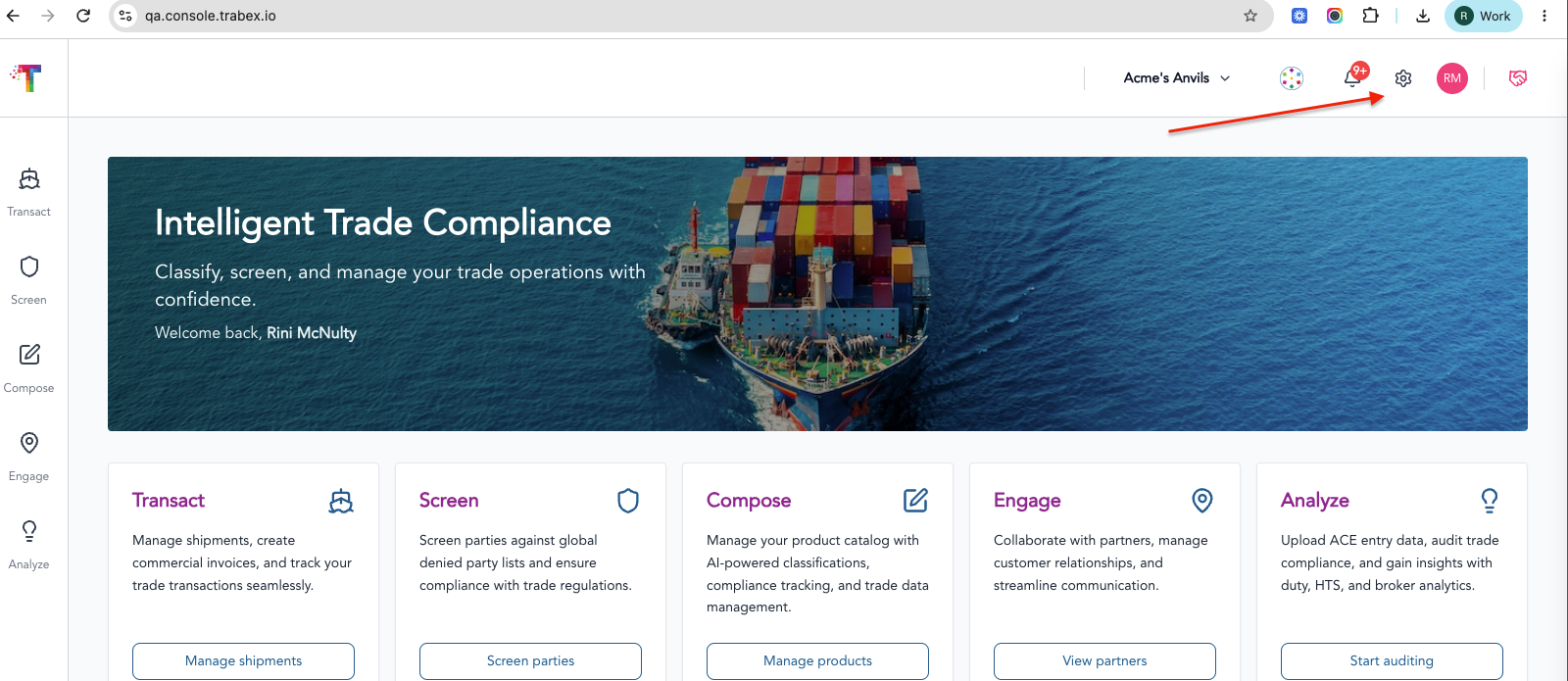
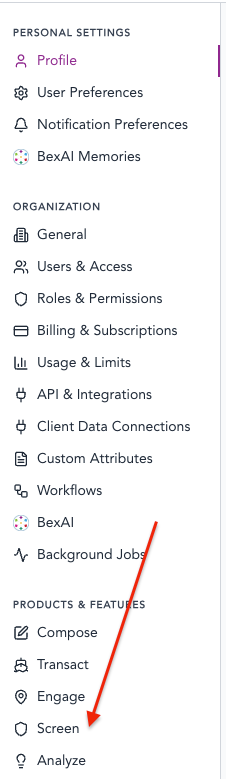
2. Open the Screen settings. Select Screen under Products and Features, then locate the screening options for country blocks or embargoes. Menu labels may vary slightly as the platform is updated.
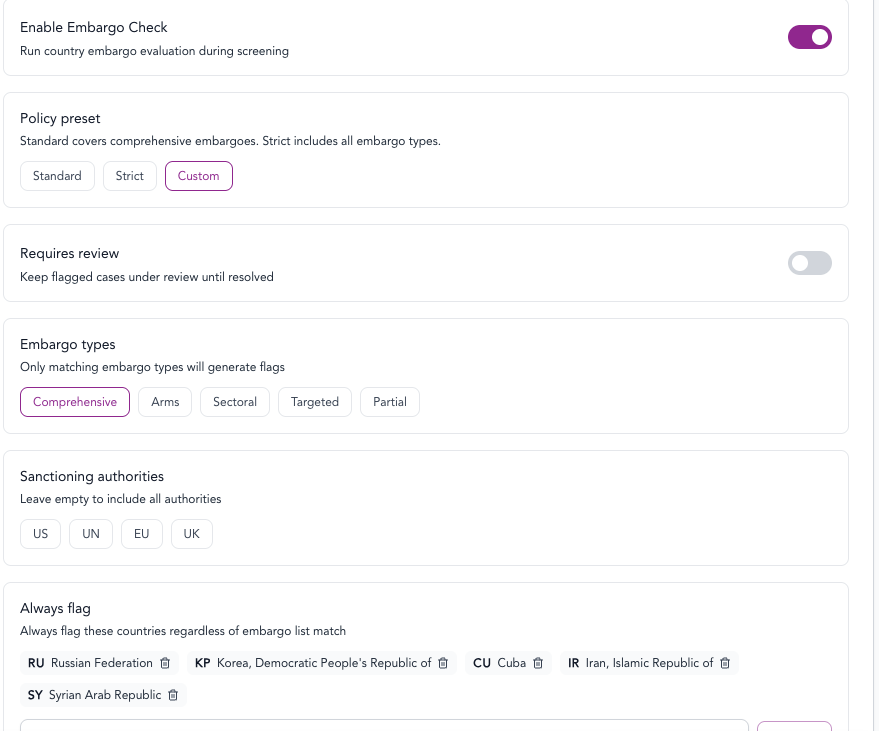
3. Select the policy type. Choose Standard to use the predefined embargo policy, or choose Customto manage country-specific treatment.
4. Configure countries when using Custom. Add the applicable countries and assign each one to Always flag, Never flag, or Keep under review until resolved, based on the organization’s approved compliance policy.
5. Save the configuration. Review the policy selection and country assignments, then save the settings.